

How ChatGPT Can Help Seniors Living Alone: Real Uses, Real Savings, and Real Risks
Written & Reviewed by


Last updated: March 19, 2026
Bottom line: ChatGPT can help many older adults living alone with everyday tasks like understanding letters, writing emails, making budgets, planning meals, organizing appointments, and using technology with less stress. It can work well on a desktop computer, laptop, tablet, or phone, and it can also be used by voice on supported devices through the official ChatGPT app or website, plus built-in dictation tools from Microsoft and Apple.
But be careful: ChatGPT is a helper, not a final authority. It may explain, draft, summarize, and organize very well, but it can still be wrong. The safest rule is simple: use ChatGPT to help you think, and use official sources to help you decide. The OpenAI Help Center says ChatGPT can answer questions, explain concepts, draft and rewrite text, summarize information, and translate between languages. The Federal Trade Commission warns that AI can also make scams more believable, including fake “family emergency” voice calls.
Why this matters for seniors living alone
Start here: If you live alone, even small tasks can pile up fast. One confusing bill, one insurance letter, one pharmacy problem, or one online form can ruin your day. ChatGPT can help reduce that mental load.
Older adults are already using more AI: AARP’s 2025 technology trends research found that AI use among adults age 50 and older doubled from 18% in 2024 to 33% in 2025, and 68% said technology helps them manage daily life. At the same time, privacy and security remain top concerns for older adults, which is why careful use matters so much. See AARP’s Technology Trends Series for the broader research.
Real issue: Many seniors do not need a “smart AI strategy.” They need help with normal life. They need help reading letters, writing messages, comparing bills, asking better questions, and doing things online without feeling lost.
| Problem | How ChatGPT may help | What still needs human or official verification |
|---|---|---|
| Confusing letter from Medicare, a bank, landlord, or insurer | Summarize it in plain English and turn it into a checklist | Deadlines, amounts, legal rights, and final next steps |
| Monthly budget feels out of control | Sort spending, build a simple budget, and stress-test scenarios | Final financial decisions, investments, taxes |
| Typing is hard or painful | Use voice mode or operating-system dictation | Make sure the dictated text is accurate before sending |
| Need to write an email or complaint | Draft and rewrite it in a calm, clear tone | Names, dates, account details, and legal claims |
| Suspicious call, text, or email | List red flags and suggest safe verification steps | Call the real company or person back using a known number |
How seniors can actually use ChatGPT
Use the device you already like best: If you are more comfortable on a desktop or laptop, start there. If you like tapping a tablet or iPad, that works too. If typing is hard, use voice.
| If you want to do this | Do this | Best device |
|---|---|---|
| Ask questions and read answers clearly | Open the official ChatGPT website in your browser | Desktop or laptop |
| Use a simple app layout | Install the official ChatGPT app from the Apple App Store or Google Play | Tablet or phone |
| Talk instead of type | Use ChatGPT voice features on supported platforms, as described in OpenAI’s Voice Mode FAQ | Phone, tablet, or computer with microphone |
| Dictate text into ChatGPT | Use Windows voice typing or Apple Dictation | Desktop, laptop, tablet, or phone |
| Keep one project organized | Use ChatGPT Projects to keep related chats, files, and notes together | Desktop or laptop |
Simple process:
- Open ChatGPT.
- Ask one short question.
- If the answer is too long, say: “Make this shorter and simpler.”
- If the topic matters financially or medically, say: “What should I verify with the official source?”
- Then verify the important parts yourself.
Real-life examples across different kinds of seniors
These are examples, not national rules: The point is to show how a senior might really use ChatGPT in daily life.
| Senior situation | How ChatGPT may help | How it may save money | How it may cost money if used badly |
|---|---|---|---|
| Very low-income senior living on Social Security only | Build a survival budget, explain shutoff notices, draft a payment-plan script | Avoid late fees, reconnection fees, and missed benefit opportunities | A wrong answer may delay urgent action |
| Low-income senior with high pharmacy costs | Prepare questions for the pharmacist, summarize coverage notices, draft a message to the doctor | Better questions may lead to a cheaper generic or a corrected billing issue | Wrong assumptions about drug coverage can create bigger bills |
| Moderate-income senior with pension plus one rental property | Build a monthly plan, create repair reserves, draft tenant messages, compare contractor quotes | Better planning may reduce repair surprises and missed payments | Generic advice may lead to delayed repairs or bad contractor choices |
| Upper-middle-income retired couple managing a house, investments, and aging parents from a distance | Organize travel plans, draft care-coordination emails, prepare questions for elder-care agencies | Better coordination may avoid wasted trips and duplicate services | Relying on AI instead of an actual contract or care agreement can be risky |
| Higher-income senior who is comfortable online but overwhelmed by paperwork | Summarize long documents, turn estate-planning questions into checklists, draft questions for advisors | Better preparation can reduce paid professional time spent on simple tasks | If AI creates false confidence, expensive professional errors can still happen |
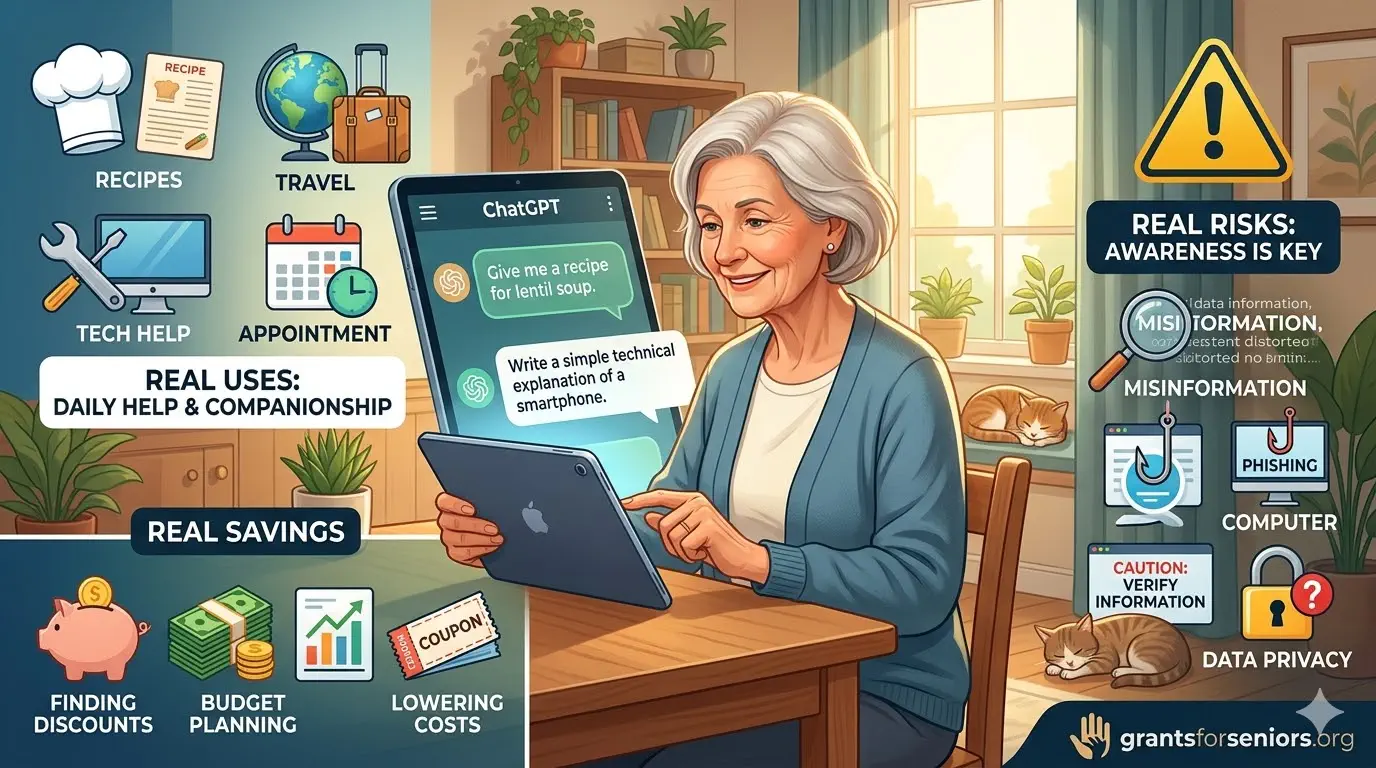
Very low-income senior living alone
- Example: A 74-year-old widow is living on about $1,150 a month from Social Security. Her electric bill is late. A pink utility notice arrives. She gets scared and puts it aside.
- How ChatGPT may help: She can paste in the notice and ask, “Explain this in simple English. Tell me what I need to do today, this week, and what happens if I do nothing.” Then she can ask, “Make me a crisis budget for this month with rent, electricity, medicine, and groceries first.”
- How this may lower costs: It may help her avoid shutoff, late fees, spoiled food, and reconnection charges by acting faster and with less panic.
- How this may go wrong: If ChatGPT gives a vague answer like “you will probably have time,” she may wait too long. That is why the safer prompt is: “What is the deadline, exact amount due, and what should I verify directly with the utility company?”
Low-income senior with Medicare and high drug costs
- Example: A 70-year-old man with arthritis is living on Social Security and a small pension. He gets confused by pharmacy notices and feels embarrassed asking questions at the counter.
- How ChatGPT may help: He can use voice and say, “Make me a short list of questions for my pharmacist about a lower-cost generic,” then “Help me write a message to my doctor asking if a cheaper option is possible.”
- How this may lower costs: Better questions may help him find a cheaper medication, catch a billing problem, or understand what to ask his plan.
- How this may go wrong: If he asks, “Is this covered?” and trusts the answer without checking his actual plan, he may end up paying more than expected.
Moderate-income senior with pension and rental income
- Example: A 70-year-old retiree lives alone, gets about $3,000 a month in pension income, and receives around $800 a month from one rental apartment. Life is stable, but one bad repair or one empty month could change that.
- How ChatGPT may help: It can build a realistic monthly budget, stress-test a vacancy month, create a reserve target for repairs, and draft tenant or contractor messages.
- How this may lower costs: Better planning can prevent under-saving, missed annual expenses, and rushed repair decisions.
- How this may go wrong: If the retiree asks whether a repair can safely wait and trusts a generic answer, a small plumbing problem may turn into a large bill.
Upper-middle-income senior helping adult children and aging siblings
- Example: A 72-year-old retired teacher owns her home, has a decent retirement income, and often helps an adult son with paperwork while also checking on an older sister in another state.
- How ChatGPT may help: It can organize travel notes, summarize hospital discharge instructions into a simple checklist, draft a polite but firm email to an assisted-living facility, and create a “what to ask before I agree” list.
- How this may lower costs: Better organization may prevent wasted travel, duplicate care charges, and expensive misunderstandings.
- How this may go wrong: If she treats ChatGPT like a legal or care-management advisor, she may miss critical details in contracts or facility paperwork.
Higher-income senior who values time more than money
- Example: A 76-year-old retired executive is financially comfortable but tired of spending hours handling emails, document summaries, and online research.
- How ChatGPT may help: It can summarize long articles from established sources like The New York Times, The Wall Street Journal, Consumer Reports, university health systems, or official agency pages. It can also draft thoughtful questions for attorneys, accountants, or doctors.
- How this may lower costs: Better preparation may reduce billable time with professionals because simple organizing work is already done.
- How this may go wrong: If he lets AI summarize instead of reading key professional documents himself, he may miss the one clause or condition that matters most.
The 15 most useful prompts for seniors
Yes, 15 works better than 10: It gives readers more real-life use cases without turning the article into fluff.
| Goal | Prompt to copy |
|---|---|
| Understand a letter | “Explain this letter in simple English and tell me what I need to do first.” |
| Find the deadline | “Tell me the deadline, amount due, and what happens if I do nothing.” |
| Make a checklist | “Turn this into a short checklist I can follow this week.” |
| Build a budget | “Make me a monthly budget using these income and bill numbers.” |
| Plan for an emergency month | “Show me what my budget looks like if I lose one month of rental income.” |
| Write an email | “Help me write a polite but firm email about this problem.” |
| Prepare for a phone call | “What questions should I ask before I call?” |
| Check a suspicious text | “What are the scam red flags in this message?” |
| Compare prices or options | “Compare these three choices in a simple table with pros and cons.” |
| Prepare for a doctor visit | “Make me a short question list for my appointment based on these concerns.” |
| Get tech help | “Explain how to do this on Windows/iPhone/iPad step by step.” |
| Meal planning | “Make me a 7-day meal plan for one person using these groceries.” |
| Organize a week | “Make me a simple plan for this week with appointments, bills, and errands.” |
| Summarize a long article | “Summarize this article in five bullet points and tell me what matters most.” |
| Verify safely | “Which parts of this answer should I verify with an official source before acting?” |
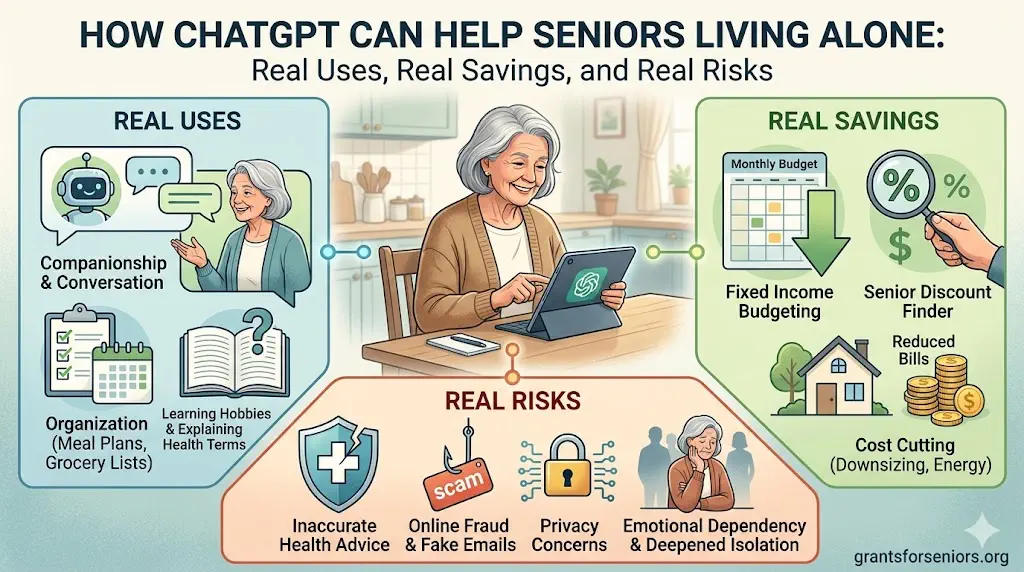
How ChatGPT can save money
Most savings are ordinary, not dramatic: ChatGPT usually saves money by helping seniors act sooner, ask better questions, and stay organized.
- Avoiding late fees: You understand the notice faster and do not put it off.
- Avoiding reconnection fees: You call before service is cut off.
- Lowering pharmacy confusion: You ask about cheaper options or billing questions.
- Reducing food waste: You plan meals from what you already have.
- Preventing duplicate spending: You finally see recurring charges and messy monthly patterns.
- Saving time with professionals: You arrive with clear questions instead of starting from scratch.
How ChatGPT can cost money
This matters just as much: A smooth answer can still be wrong.
- It may sound confident when it should say “I’m not sure.”
- You may trust a summary instead of reading the original.
- You may skip the official phone call or website.
- You may share private information you should not share.
- You may delay action because the answer sounds calming.
Scam warning: The FTC says voice-cloning scams may sound like a loved one and push you to act fast. If that happens, hang up and call the person back using a number you already know is real. Do not trust urgency. Do not trust emotion. Verify first.
Simple step-by-step process for using ChatGPT safely
| If you want this result | Do this |
|---|---|
| Shorter answer | Say: “Make this shorter and simpler.” |
| Clear action plan | Say: “Turn this into a checklist.” |
| Safer answer | Say: “What should I verify with the official source?” |
| Better email | Paste your draft and say: “Make this more polite and clear.” |
| Less typing | Use voice mode or dictation from Microsoft or Apple |
| Ongoing organization | Use ChatGPT Projects to keep related work together |
Useful outside resources seniors may trust
- For official ChatGPT help: Use the OpenAI ChatGPT Help Center.
- For Apple users: Apple’s support pages on iPhone Dictation and Mac Dictation are clear and practical.
- For Windows users: Microsoft’s page on voice typing is a good place to start.
- For older-adult tech learning: Senior Planet from AARP offers free technology classes and guides for older adults.
- For broader older-adult tech trends: AARP’s Technology Trends Series is a strong, established source.
- For benefits screening: BenefitsCheckUp from the National Council on Aging is a well-known tool.
- For scams: Use the FTC’s consumer pages, especially the voice-cloning warning.
- For emotional crisis support: Call or text 988.
Final answer
ChatGPT can help seniors living alone in real, practical ways: reading, writing, organizing, comparing, planning, and reducing tech stress. It works especially well for people using desktops and laptops, which makes sense if many readers already prefer larger screens and a keyboard.
It also has real limits: It can save money by helping someone avoid delay, confusion, and messy decisions. It can cost money if someone trusts it too quickly, skips verification, or treats a smooth answer like official guidance.
The best rule is simple: Use ChatGPT as a calm helper. Do not use it as your final authority.
About the Authors