Written & Reviewed by


Last updated: 25 September 2026
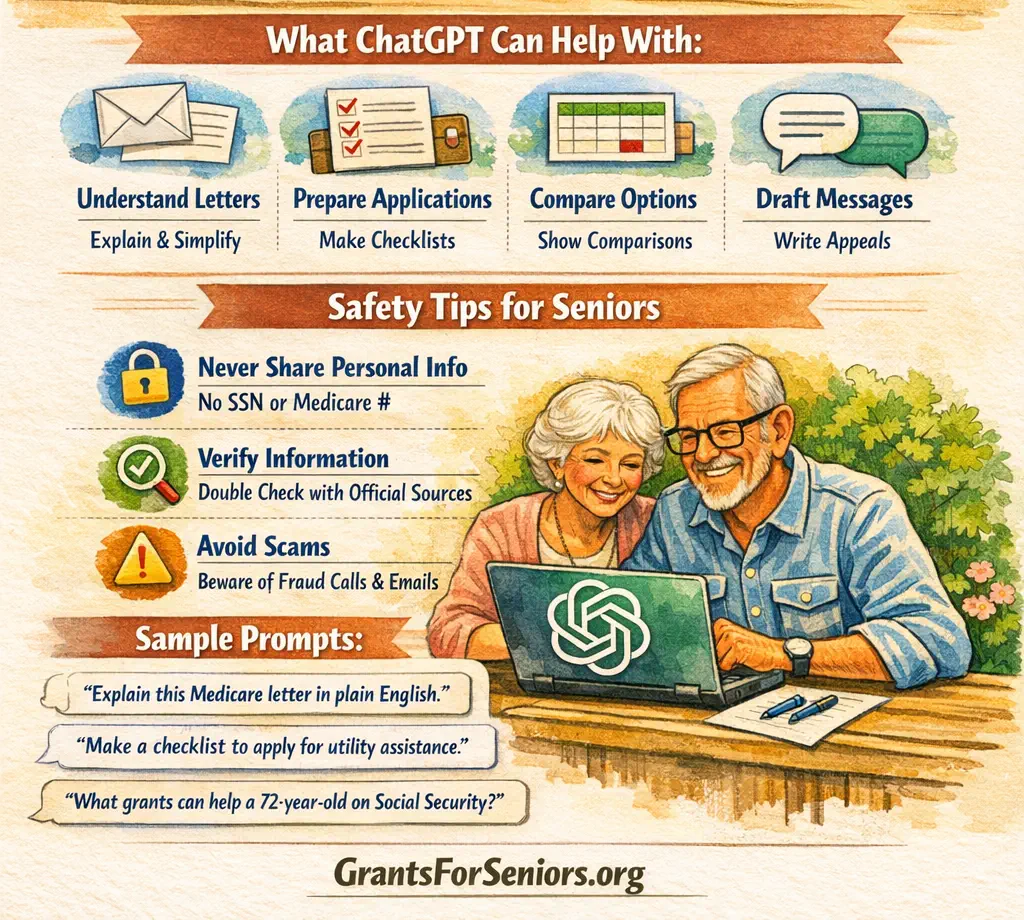
ChatGPT can help an older adult turn a confusing benefits problem into a clear list of questions, documents, and next steps. It can explain letters, summarize long pages, search the web, compare options, and draft messages. It should not be the final authority on eligibility, deadlines, benefit amounts, or whether a local program is open.
Bottom Line
Use ChatGPT to prepare, not to decide. Start with one real problem, ask for a short action plan, and then confirm the important facts with the agency or program that actually handles the help. For broad screening, useful starting points include the USA.gov benefit finder and BenefitsCheckUp.
Start Here
- Name one problem. For example: “I am behind on my electric bill,” “I cannot afford my prescriptions,” or “I need help understanding this Social Security letter.”
- Ask for a short plan. Tell ChatGPT your state, age range, household size, and the type of help you need. Do not include account numbers or other sensitive identifiers.
- Verify before acting. Open the official source, call the responsible office, or use a trusted benefits counselor before you submit an application or rely on a deadline.
If you do not know which local office to call, the Eldercare Locator connects older adults and families with local aging services at 1-800-677-1116. For local food, housing, utility, and crisis referrals, United Way 211 is another useful starting point.
| Your problem | Ask ChatGPT to do | Then verify with |
|---|---|---|
| You do not know where to begin | List the types of help to check first | A benefits screener or local aging office |
| A letter is confusing | Explain it in plain English and list deadlines | The original notice and issuing agency |
| Bills are overdue | Make a same-day call checklist | 211, the provider, and local programs |
| Medicare is confusing | Write three questions for a counselor | SHIP or Medicare |
| You need a safer search plan | Separate grants from other assistance | The responsible program |
What Has Changed
ChatGPT now has stronger tools for this kind of work. OpenAI says ChatGPT can search the web and show citations, work with uploaded documents, and support voice conversations on desktop web and mobile. These features can make benefits research and letter review easier. They do not remove the need to check the original source.
The biggest safety improvement for this guide is a clearer verification rule: when ChatGPT uses web search, OpenAI warns that search results and citations can still be incomplete, outdated, or wrong. Open the cited page and confirm that it really supports the answer before you act on a deadline, dollar amount, eligibility rule, or application step. See the current ChatGPT Search guide.
What ChatGPT Can Do Well
OpenAI’s current capabilities overview describes ChatGPT as able to answer questions, explain concepts, summarize and rewrite text, reason through problems, work with files, search the web, and use voice. Those abilities fit benefits navigation because the hard part is often understanding what a notice means and what to do next.
ChatGPT is especially useful before you call or apply. It can turn a broad problem into a checklist, separate facts from questions, and help you prepare a short summary of your situation. If you want a GFS starting point, our Senior Help Tools can help you narrow the problem before you contact an agency.
Turn a broad problem into categories
A question such as “What grants do I get?” is too broad and can produce a weak answer. A better question is: “I am 72, live alone in Ohio, and need help with food and electricity. What types of programs should I check, and which facts must I verify?” This invites ChatGPT to organize the search instead of pretending it can make an eligibility decision. If property taxes are part of the Ohio question, our Ohio senior tax guide gives you a state-specific page to check before you act.
Many kinds of senior help are not grants. They may be benefits, tax relief, subsidies, discounts, vouchers, payment plans, services, or local nonprofit aid. Our grant or loan guide can help you keep the terms straight. For a practical example of non-grant savings, see our Ohio recreation discounts guide.
Find better questions to ask
If a program page is hard to understand, ask ChatGPT to list the five facts that matter most: who handles the program, what it helps with, who may qualify, where to apply, and what could delay or block help. Then check those five points on the real program page.
Use voice when typing is hard
OpenAI’s Voice Mode FAQ says logged-in users can have spoken conversations in the mobile apps and on desktop web. Voice can be helpful for someone with arthritis, low vision, or slow typing. Important information should still be checked in writing before you act.
What ChatGPT Cannot Decide
ChatGPT is not the agency that approves benefits. It cannot guarantee that you qualify, promise that a waiting list is open, determine how a rule applies to your exact case, or make a local office process an application faster. A confident answer can still be wrong.
It also cannot safely replace professional advice when a problem turns into a legal, tax, medical, or appeal issue. It can help you prepare questions and organize documents, but the responsible agency, counselor, attorney, tax professional, or medical professional must handle the final decision when the issue requires one.
If money is tight and you need broader options, use our financial assistance guide to identify realistic categories of help rather than searching only for “senior grants.”
How to Search for Help More Safely
ChatGPT can now search the web for current information and include sources. This is useful when you ask for a recent deadline, a state program, or the name of the agency that handles a benefit. The safer pattern is to ask ChatGPT to show the source and then open it yourself.
- Ask for the responsible source. Say, “Use official government or established nonprofit sources.”
- Ask for exact dates. Say, “Tell me the program year and the date this was last updated.”
- Ask what may vary. County rules, household size, disability status, income, and funding can change the answer.
- Open the source. Check that the page actually says what the answer claims.
- Call when the answer affects money. If a wrong answer could cost you benefits, confirm it with the program.
For federal benefits, the official benefit finder can help you identify programs by life event and category. For local help, our local help guide explains where to ask first when a national website is not enough.
Use ChatGPT With Letters and Files
One of the best uses is explaining paperwork. OpenAI’s current file uploads FAQ says ChatGPT can work with supported documents, spreadsheets, presentations, and other files. You can also paste a short section of a letter and ask for a plain-English explanation.
Before you upload or paste a benefits letter, remove information that is not needed for the question. Keep your Social Security number, Medicare number, bank information, passwords, full account numbers, and other sensitive identifiers out of the chat whenever possible.
A useful prompt is: “Explain this letter in simple English. List every date, amount, action, and phone number. Then tell me which items I should verify with the agency.” Afterward, compare the summary with the original letter line by line.
Protect Your Privacy
Do not assume that a chat is the right place for every detail of your case. OpenAI’s Data Controls FAQ explains how signed-in users can turn off “Improve the model for everyone.” OpenAI also offers Temporary Chat, which does not appear in chat history and is not used to improve models while it remains temporary. OpenAI says a copy may still be kept for up to 30 days for safety purposes.
| Usually useful | Remove first | Why |
|---|---|---|
| Age range and state | Full birth date | The general fact may help without exposing a full identifier |
| Type of income | Bank and account numbers | Program questions rarely require full account details |
| A notice paragraph | Claim, Medicare, or Social Security numbers | The wording can be explained without the identifier |
| General medical-cost problem | Unneeded medical details | Share only what is needed for the task |
| A suspicious message | Passwords and login codes | No legitimate review needs your password |
If you need more help using a computer or browser safely, see our free computer classes guide. For broader guidance on safer use of artificial intelligence, see AI technology for seniors.
Trusted Sources to Pair With ChatGPT
ChatGPT works best when you use it beside a real benefits source. The table below shows common starting points. Each one has a different job.
| Source | Best for | What to do |
|---|---|---|
| BenefitsCheckUp | Benefits screening for older adults and people with disabilities | Enter your ZIP code and review possible programs |
| SHIP | Medicare questions and cost-saving programs | Find your local no-cost Medicare counselor |
| Medicare contact page | Medicare claims, coverage, and account questions | Use the secure account or call 1-800-MEDICARE |
| Social Security phone help | Social Security records, notices, and account questions | Call 1-800-772-1213 for official help |
| ACL local help | Aging, disability, caregiving, transportation, and local services | Use the official locator that fits your need |
If rent or housing is the main problem, our housing and rent guide can help you identify which type of program to ask about before you call.
Useful Prompts for Benefits Research
These prompts are designed to make ChatGPT organize the problem without pretending to make the final decision.
- “I am 71 and live in Texas. List the types of help I should check for food, utilities, and medical costs. Use official sources and tell me what I must verify.”
- “Explain this agency letter in simple English. Pull out every deadline and action. Do not guess if the letter is unclear.”
- “Give me a document checklist for applying for housing help. Separate documents that are commonly requested from documents I must confirm with the local office.”
- “Search for current official sources for this program. Show the source date and tell me if the rules vary by county.”
- “Write three questions I should ask a SHIP counselor about Medicare costs.”
- “Turn my notes into a short phone script. Do not say I qualify. Ask the office to confirm eligibility.”
- “Compare these two programs in a simple table. Include who runs each one, what it pays for, and what I need to verify.”
- “What could make this answer wrong or outdated? Give me a verification checklist.”
If the question is about state taxes in Texas, use ChatGPT to organize the questions, then compare them with our Texas senior tax guide and confirm the final rule with the responsible tax office.
If you have many related chats, OpenAI’s Projects guide explains how Projects can keep chats, files, and instructions together. That can be useful for a caregiver helping a parent over several weeks, but sensitive details should still be minimized.
Phone Scripts You Can Use
Ask ChatGPT to shorten these scripts for your own situation. Keep a pen nearby and write down the date, the person’s name, and the next step.
Local help or 211
“I am an older adult in [ZIP code]. I need help with [food, rent, utilities, medicine, or transportation]. Which local programs are taking requests now, and what documents should I have ready?”
Medicare or SHIP
“I need help understanding my Medicare costs. Can you review which cost-saving programs or coverage questions are worth checking, and tell me what documents I should bring?”
Housing office
“I am looking for senior housing or rent help. Are any applications or waiting lists open now? If not, what should I ask about next, and how can I check again later?”
Benefit denial
“I received a denial notice. Please tell me the deadline to appeal, where the appeal must go, what documents are required, and whether I can get help reviewing the notice.”
Reality Checks
- A search result is not a decision. An agency may use rules that depend on your exact household, income, assets, age, disability, location, or program year.
- A program can be real but unavailable. Local funds can run out, waiting lists can close, and provider capacity can change.
- “Grant” is often the wrong word. The help you need may be a benefit, rebate, credit, subsidy, voucher, service, or loan.
- ChatGPT can sound certain. Ask it to show sources, identify uncertainty, and tell you what could make the answer wrong.
- Official pages can also be old. Check the effective date, not just the agency name.
Common Mistakes to Avoid
Do not paste private identifiers. Remove Social Security numbers, Medicare numbers, banking details, full account numbers, passwords, and security codes.
Do not pay someone for a promised government grant. The Federal Trade Commission’s 2026 grant scam warning says scammers may contact people out of the blue, promise free government money for personal needs, ask for personal or financial information, or demand fees. Use our scam checker as a first review, then verify through the real agency.
Do not let a summary replace the notice. The original letter controls the real deadline and instructions.
Do not ask only “What grants are there?” Ask about the problem you need to solve. That finds more realistic paths.
Denied, Delayed, or Overwhelmed
If you are denied, do not ask ChatGPT whether the agency was “wrong” and stop there. Ask it to help you read the denial notice, identify the appeal deadline, list missing documents, and draft questions. Then confirm the appeal process with the agency or a qualified counselor.
If you are simply stuck, break the problem into one call at a time. A local aging office, 211, SHIP, or the program itself may be more useful than searching for another website. If a delay leaves you short on food, utilities, medicine, or another basic bill, our emergency cash help guide explains safer short-term routes while you keep working on the main application. Keep copies of notices and note every call so you can show what happened later.
Resumen en Español
ChatGPT puede ayudarle a prepararse, pero no decide si usted califica. Puede explicar una carta, hacer una lista de documentos, preparar preguntas, buscar fuentes y escribir un borrador. Después, confirme las reglas con la agencia o programa oficial.
No comparta su número de Seguro Social, número de Medicare, contraseñas, información bancaria ni números completos de cuenta. Si pega una carta, quite primero los datos privados. Para ayuda local, puede usar el Eldercare Locator o llamar al 211. Para preguntas de Medicare, busque su programa SHIP local.
Frequently Asked Questions
Can ChatGPT tell me which benefits I qualify for?
No. It can help you identify programs worth checking and explain the factors that may matter, but the responsible program decides eligibility. Use ChatGPT to prepare, then confirm the rule with the official source.
Can ChatGPT search for current benefit information?
Yes. ChatGPT can search the web and cite sources. Open the cited page and check the date and wording because search results and citations can still be incomplete, outdated, or wrong.
Can ChatGPT explain a benefits letter?
Yes. You can paste a short section or upload a supported file and ask for a plain-English explanation. Remove sensitive identifiers first, and compare the answer with the original notice before you act.
Can ChatGPT help write an appeal?
Yes. It can help draft a clear letter and organize your facts. You still need to verify the appeal deadline, filing method, required documents, and the reason for denial with the program.
Is ChatGPT private enough for benefit records?
Use caution. OpenAI provides data controls and Temporary Chat, but you should still avoid sharing Social Security numbers, Medicare numbers, passwords, bank details, and other information that is not needed for the question.
Can I use ChatGPT by voice?
Yes. OpenAI says voice conversations are available to logged-in users in the mobile apps and on desktop web. Check important dates, amounts, and program rules in writing before you act.
What is the safest way to use ChatGPT for grants?
Describe the problem you need to solve, ask for official sources, and verify every important rule before applying. Be especially careful with anyone promising free government grant money for personal expenses or asking for an upfront fee.
About This Guide
Sources: This guide uses official federal, state, local, and other high-trust nonprofit and community sources linked in the article.
Editorial note
This guide is produced under the GFS Editorial Standards using official and other high-trust sources. GFS is not affiliated with a government agency and is not a substitute for official agency guidance. Individual eligibility outcomes cannot be guaranteed.
Corrections
Despite careful verification, errors may occur. Readers may email info@grantsforseniors.org with corrections.
Disclaimer
This article is for informational purposes only and is not legal, financial, medical, tax, disability-rights, immigration, or government-agency advice. Program rules, policies, funding, and availability can change. Readers should confirm current details directly with the responsible official program before acting.
Last updated: 25 September 2026 · Next review: 25 January 2027
About the Authors